
Why Your Sputtering System's Controller Is Failing
Your system was working fine. Then one morning it's not. Vacuum pump runs. Power's on. But the controller is not functioning or it is dead. The controller fails before anything else. And it's the most expensive failure to ignore.
2 min read
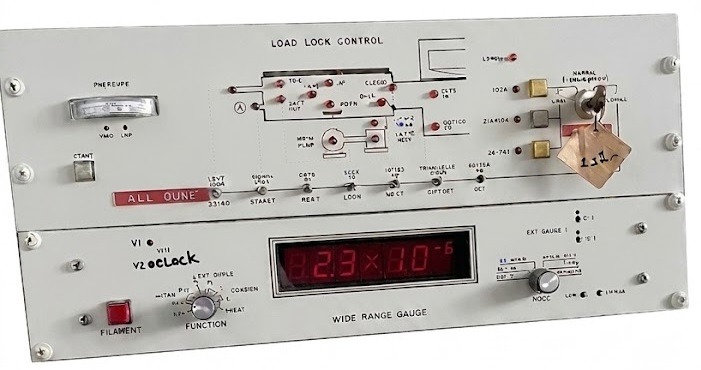
Your system was working fine. Then one morning it's not.
Vacuum pump runs. Power's on. But the controller won't operate a valve or component.
The controller fails before anything else. And it's the most expensive failure to ignore.
Why Controllers Age Faster Than Hardware
Your vacuum chamber might be 25 years old and work perfectly. The controller? Controllers are computers, and computers age.
Capacitors dry out (24/7 heat cycling)
Hard drives fail (mechanical parts have finite life)
Power supplies degrade (rated for 100,000 hours-eventually hit the limit)
Software becomes obsolete (no patches, no support)
Components disappear (manufacturer discontinued the part 10 years ago)
Vacuum chamber = mechanical = lasts decades. Controller = electronic = built-in expiration date.
Signs Your Controller Is Failing
Early Stage (Days-Weeks Before Failure)
Intermittent boot failures
Strange error messages
Parameters resetting unexpectedly
Slow response to input
Occasional sensor errors
Switches need cycling to work
Late Stage (Hours-Days)
Won't boot at all
Boots then crashes in 5-10 minutes
Can't execute recipes
All error codes
Switches not operating
Vendor support: "We don't support that anymore"
Critical (Total Failure)
Completely dead
Can't power on
Production stopped
Three Levels of Controller Problems
Level 1: Software Glitch (Days)
Software crashes
Parameter corruption
Recipe won't save
Fix: Reboot, reload firmware(1 day)
Level 2: Power Supply/Capacitor Failure (Days-Weeks)
Won't boot
Powers on briefly, shuts down
Intermittent operation
Fix: Replace component (5-10 day lead time)
Level 3: Hard Drive/CPU Failure (Weeks-Months)
Hard drive dead
CPU won't start
Fix: Replace motherboard/drive (weeks to find matching component or software)
The Real Cost When Controller Fails
Option 1: Wait for Replacement
Find compatible part: 1-4 weeks
Install: 1 day
Test: 1 day
Down: 2-5 weeks
Cost: $5K parts + labor + lost production
Option 2: Source New Controller
Find OEM/aftermarket controller: 2-6 weeks
Install/integrate: 5-10 days
Test/qualify: 2-3 weeks
Down: 1-3 months
Cost: $20K-50K + lost production
Option 3: Full System Replacement
Buy new system: $250K+
Wait for delivery: 6-12 months
Install/qualify: 2-4 months
Down: 8-14 months
Cost: $250K+ equipment + lost production
The Smart Play: PLC Upgrade Before Failure
Controllers don't fail gracefully. They fail suddenly.
One day it works. Next day it doesn't.
If your controller is:
Over 15 years old
Running proprietary/obsolete software
Made by a defunct company
Has a hard drive (mechanical failure risk)
Uses outdated components (1990s capacitors)
It's not if it will fail-it's when.
A PLC upgrade replaces that failing controller with modern, industrial electronics that will:
✅ Run reliably 15-20 years
✅ Use off-the-shelf spare parts
✅ Have vendor support
✅ Give you system health visibility
✅ Cost 70% less than replacement
Reach out for support or inquiries anytime.
Contact
hours
sales@sputteringneeds.com
1-510-252-9900
Veteran owned and operated
© 2026. All rights reserved.
Monday - Friday
7:00am - 3:00 pm
